
All features in detail
How KudosFive collects, checks, answers and shows customer reviews on your website, step by step and with the limits you should know. Features that start with Plus are marked.
Collect customer reviews by email
Invite your customers after a purchase or job, one at a time or up to 100 people at once.
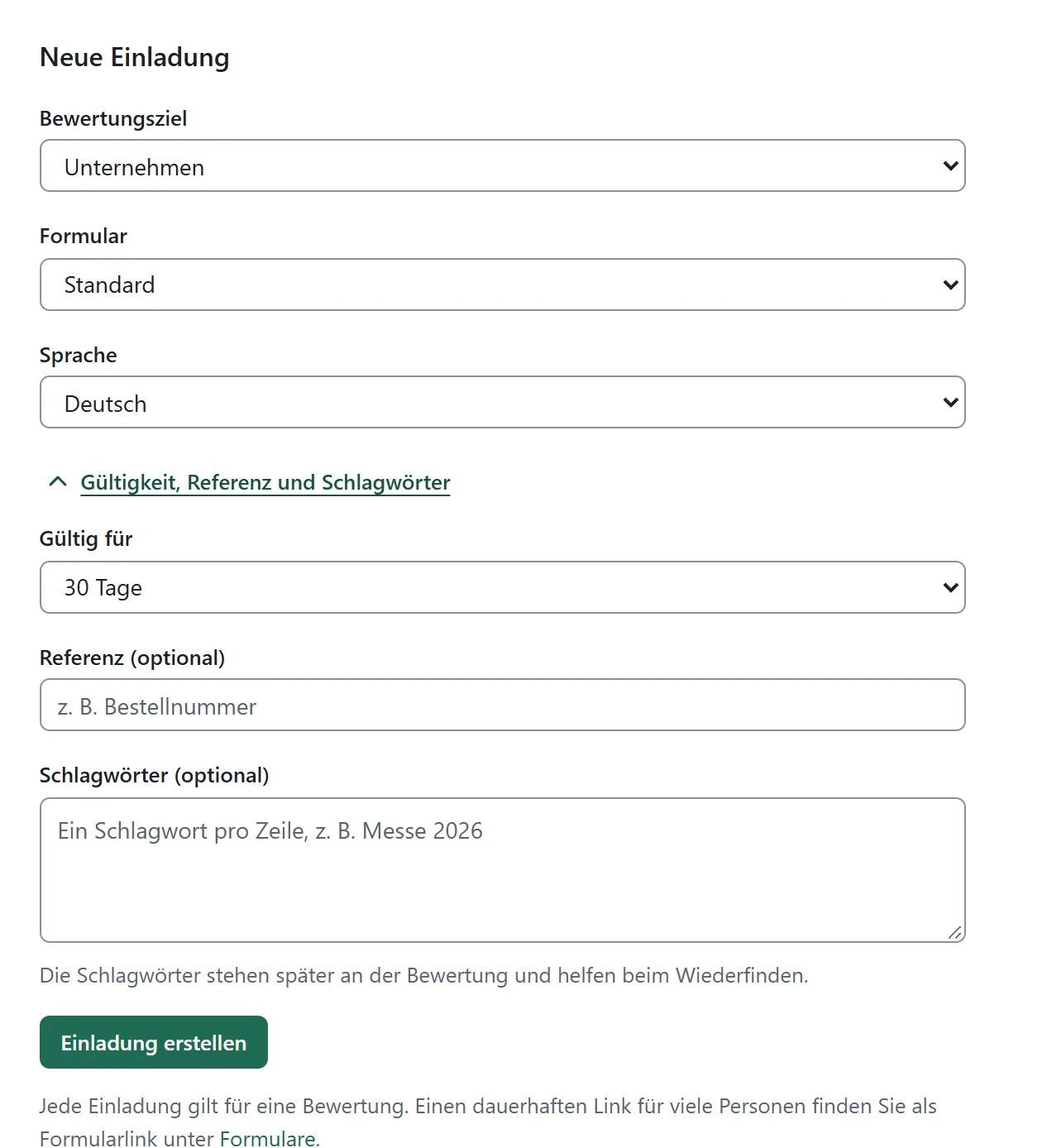
Each invitation belongs to exactly one review target: your business or a single product, service or app. You choose the form and its language. If you like, you add your own reference such as the order number, and tags; both stay with the review and help you find it again.
The review request email contains the form itself: customers choose their stars in the email and complete the rest on the review page. Mail apps without form support lead there through a link. Prefer to send from your own system? Take the same invitation as an HTML template.
How it works
- Choose review target, form and language
- Create the invitation and send it by email or take it as an HTML template
- Track the delivery status and resend failed deliveries
Good to know
Invitations are valid for up to 90 days; the default is 30. Invitations sent by KudosFive include an unsubscribe link. With the HTML template you add an unsubscribe option in your own system. The invitation email is sent in English or German, depending on the language of the invitation. Confirmation and further emails to reviewers are currently in German.
Form links and links from your application
One permanent link for many people, or a link per purchase created straight in your shop or software.
Put a form link on your website, in your email signature or on a notice. Everyone who opens it leaves their own review and confirms it by email.
For reviews after a purchase, your shop or software creates the link itself. Product, language and tags are fixed and cannot be changed while reviewing. The setup guide walks you through creating a key pair; helpers for Node.js, PHP and C# are included.
Good to know
Links from your application are valid for at most 90 days. KudosFive does not currently create QR codes.
Customer review forms with your own categories
Any number of forms with overall stars, title, text and the star categories that matter for your offering.
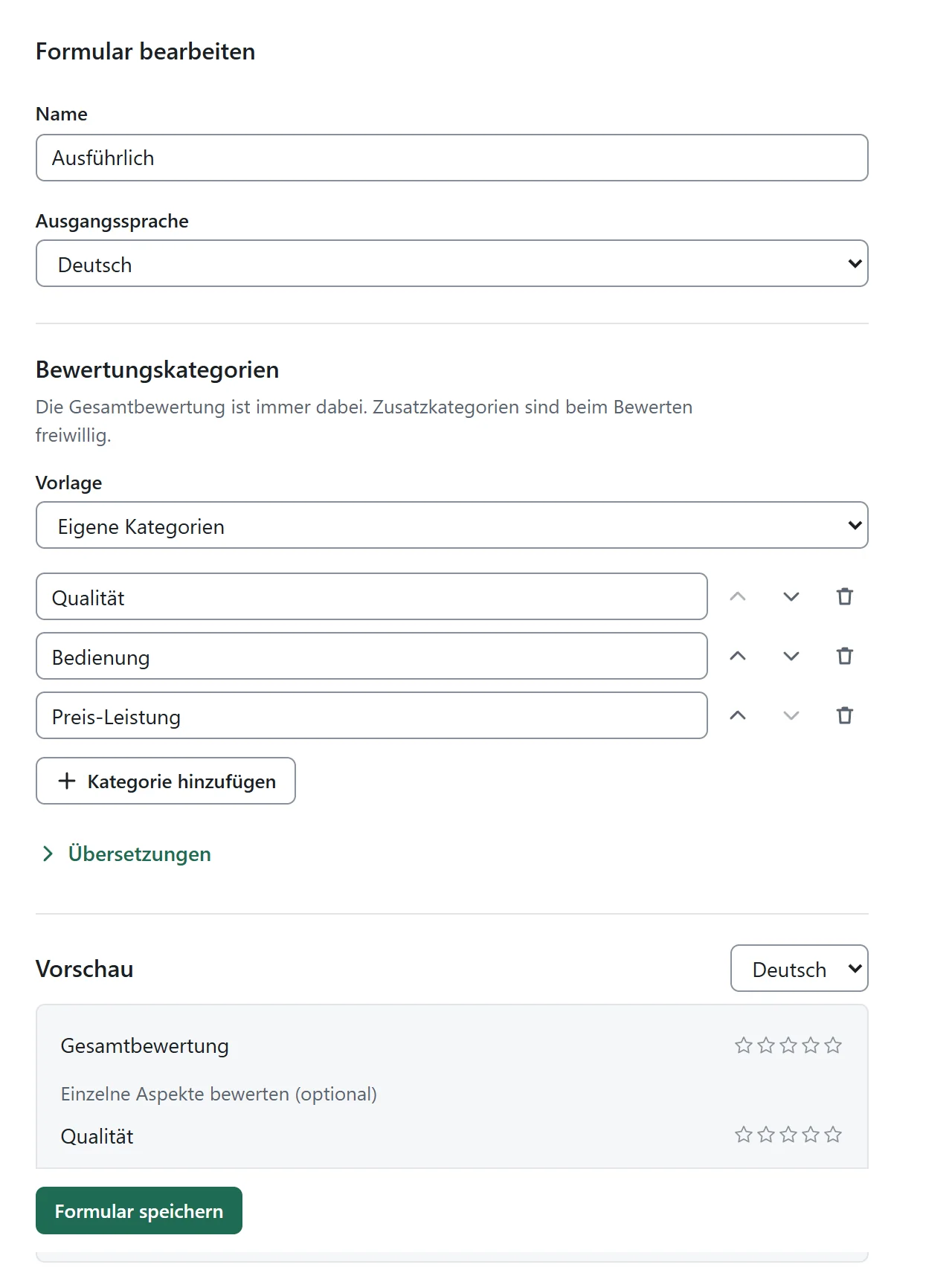
Every form asks for the overall rating and, if you like, individual aspects such as quality, ease of use or value for money. Templates for products, services and apps get you started; you name, order and translate the categories yourself and see the result in the preview.
Your company logo appears on the form. Forms can be duplicated and archived; only forms that were never used can be deleted.
Good to know
The overall rating is always included; additional categories are optional for reviewers. Changes apply to new invitations and new form links.
Reviewing without an account, confirmed by email
Your customers review on their phone or computer without an account. A review only counts once the email address is confirmed.
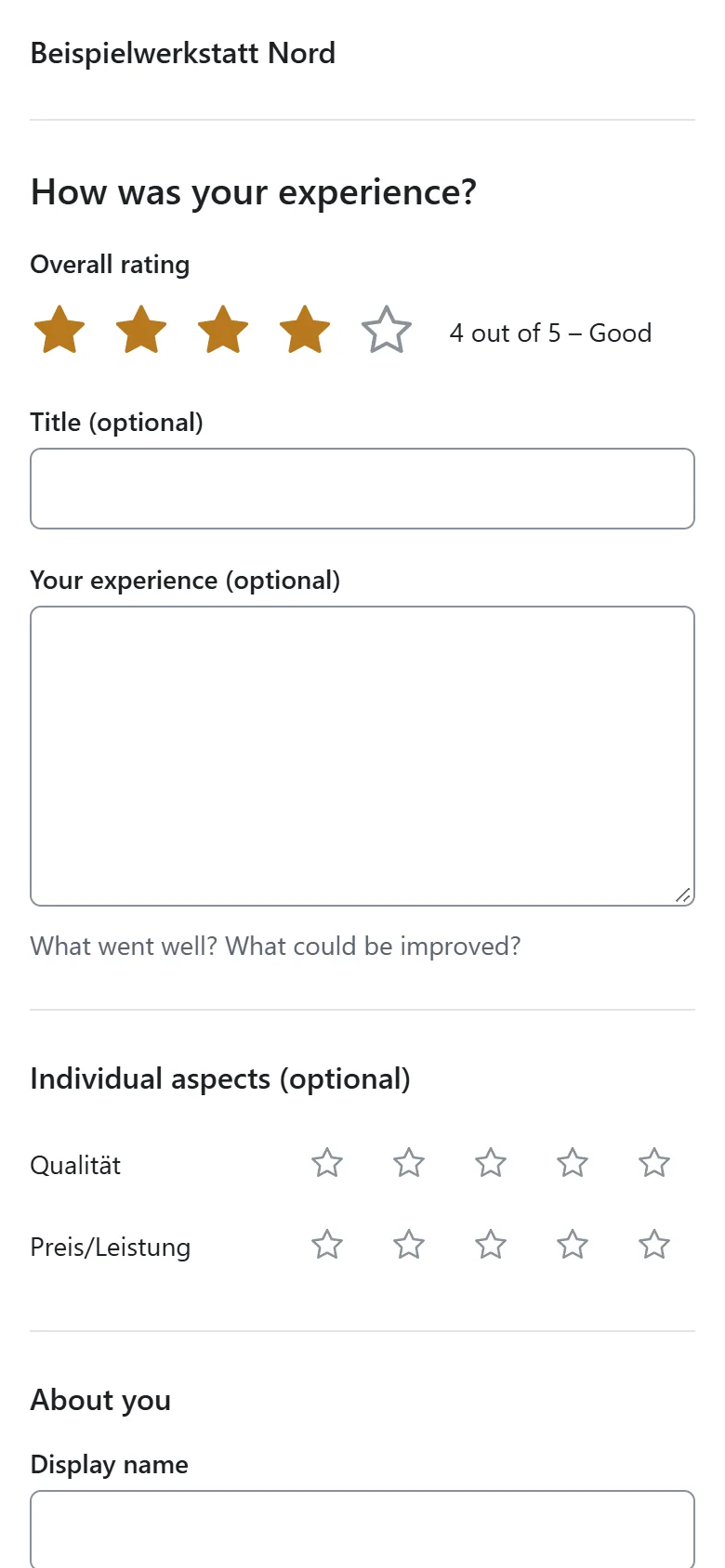
The product review form shows stars with a plain label (“4 out of 5 – Good”), an optional title and text and the individual aspects. After submitting, the person confirms their email address; only then does the review take effect.
With a personal link, the person can edit or withdraw the review later and answer your questions. An edited version still counts only once.
Good to know
The email address is never shown publicly. A confirmed email address proves the address, not the purchase. That is why KudosFive also records whether a review came through an invitation or a form link.
An inbox for reviews
New reviews arrive in an inbox with folders for reviews awaiting release, without a reply and all reviews.
The list on the left, the open review on the right, your reply right below. With the keyboard you select with J and K, release with F, reply with A and search with the slash.
Filter by offering, language, tag, status, stars, text or missing reply, sort and see the result count. Release confirmed reviews earlier one by one or in bulk, and export your reviews as CSV for your own analysis.

Respond to reviews
Reply publicly with the review, or ask a private question without making it public.
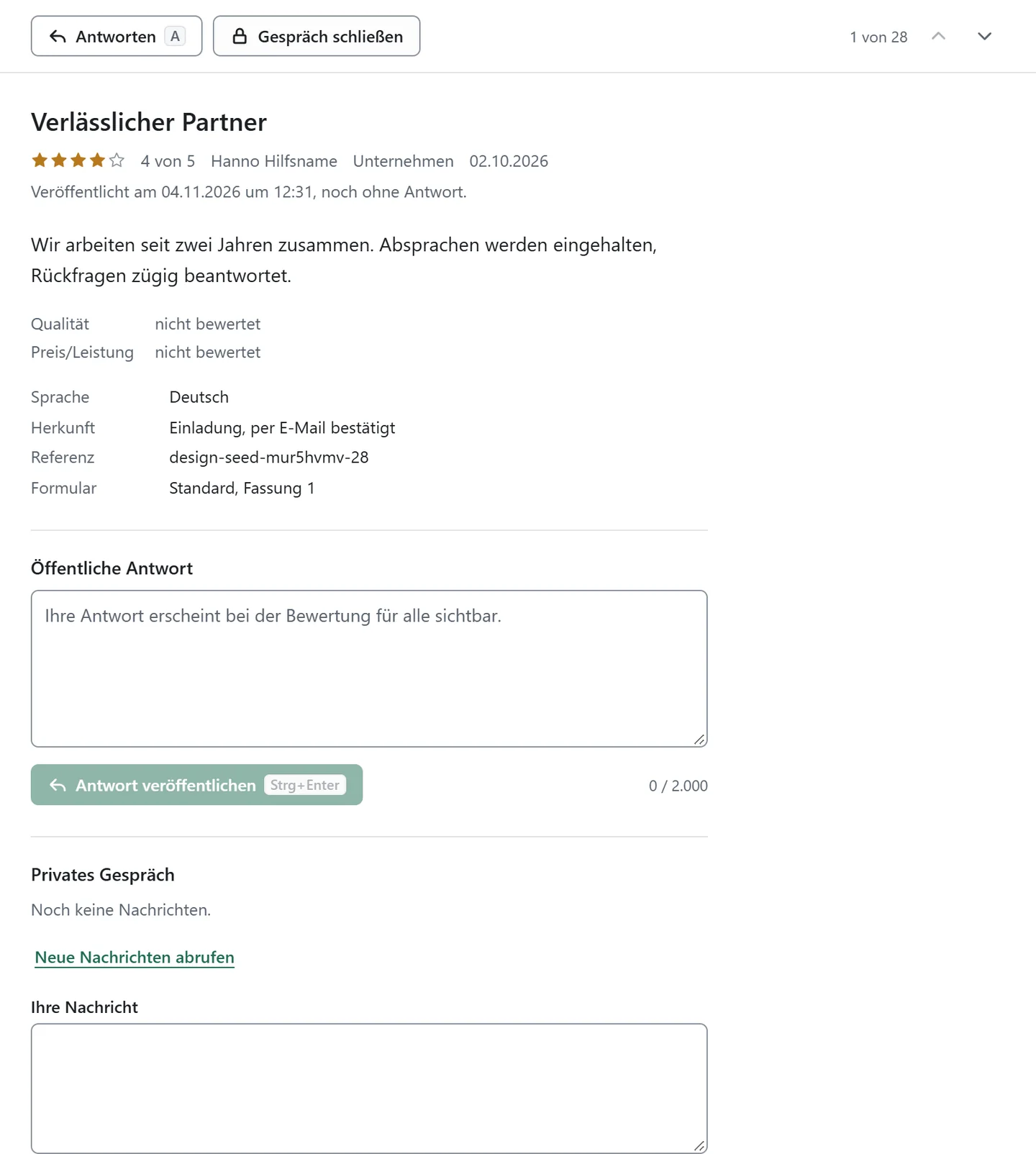
Your public reply appears with the review on the profile and in the widget, so you can respond to a critical review visibly and calmly. Replies can be edited or withdrawn.
In a private conversation you clarify questions directly with the reviewer, who answers through their personal link. If you like, KudosFive notifies you by email about new messages.
Good to know
A public reply can be up to 2,000 characters long. Once a person has withdrawn their review, you can no longer write to them.
Publishing, origin and moderation
Confirmed reviews appear after your waiting period, regardless of the star rating, with their origin on record.
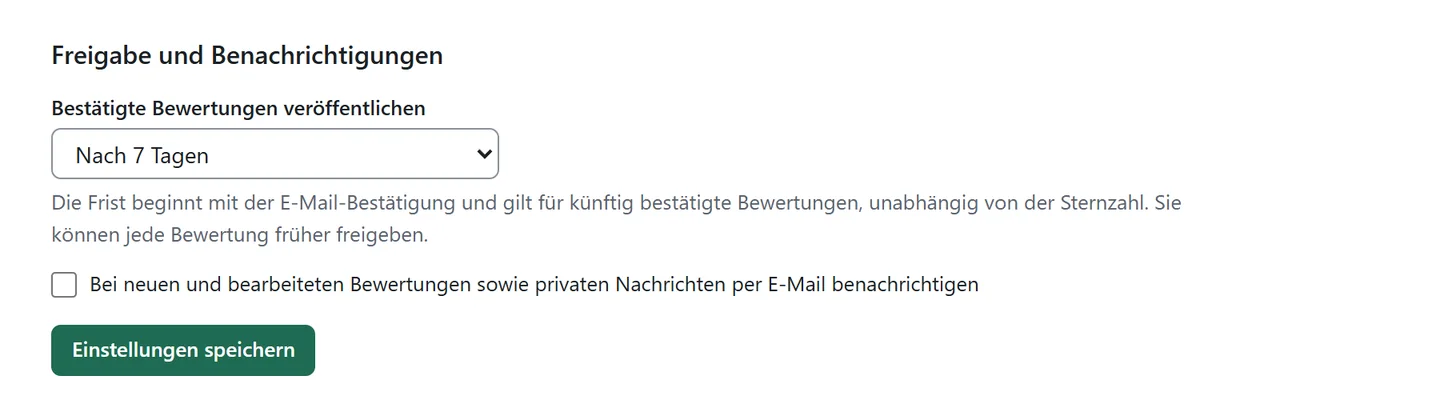
You decide whether confirmed reviews appear immediately or after a waiting period of up to 30 days; the default is seven. In the meantime you read, prepare a reply and release earlier if you wish. The star rating does not change the waiting period.
Each review records whether it came through an invitation or a form link and that the email address was confirmed. If a review breaks the rules, you flag it to the operator; visitors can report reviews on the profile. The history shows what happened when.
Good to know
Businesses cannot delete reviews themselves. The operator decides on a flagged review; you see its status and the reasoning with the review. KudosFive is operated by SourceCloud GmbH, which also offers its own software. Wherever reviews of its own products are shown with KudosFive, this shared ownership is stated alongside them. KudosFive is not an independent review authority.
A public profile for your business
A profile with overall rating, star distribution and a separate page for every offering.
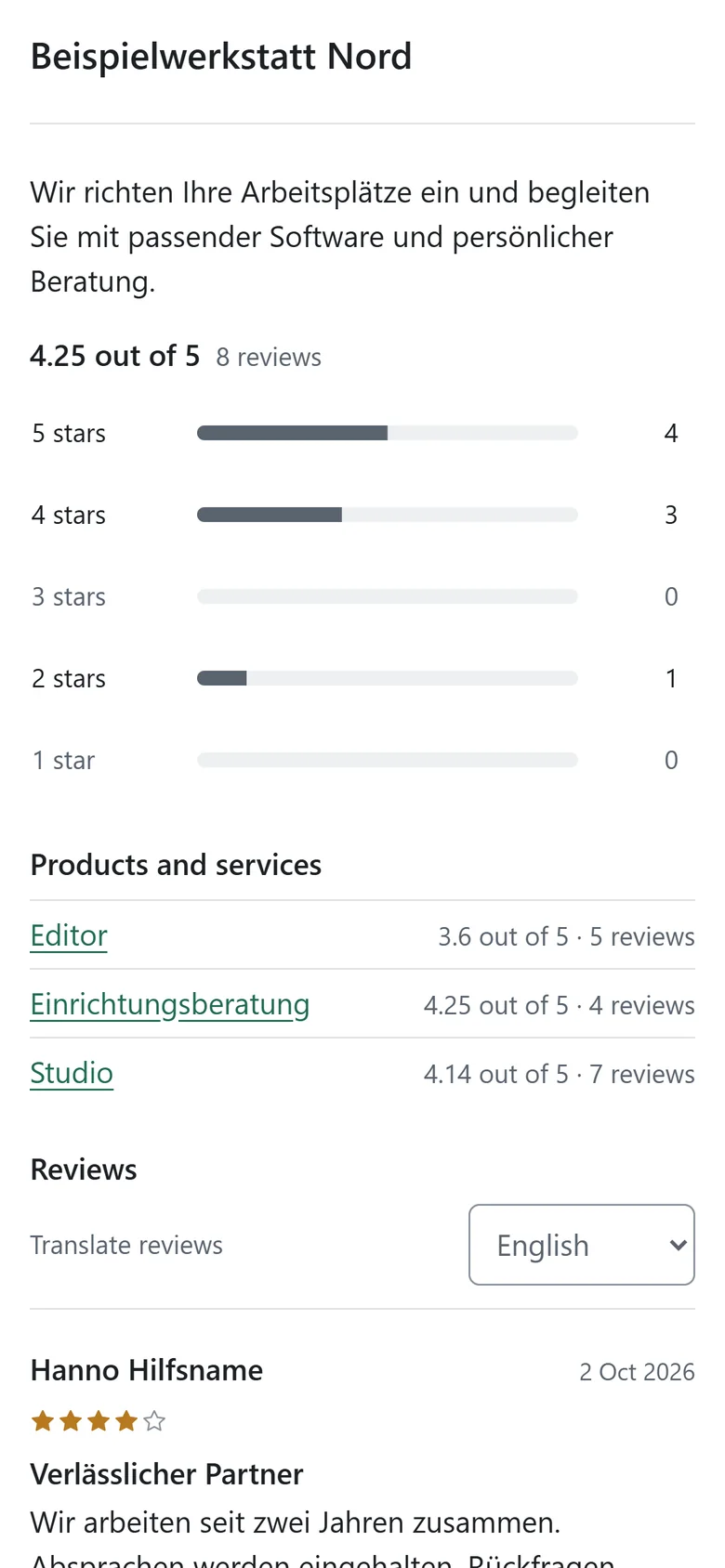
The profile shows your logo, your description, the overall rating from published reviews, the star distribution and all reviews with your replies. Every product, service and app has its own rating and page; product ratings do not count towards the rating of your business.
You choose the profile address. From Plus, visitors choose the language in which they read reviews; translated texts are labelled.
Good to know
Profiles exist only for businesses with their own account; KudosFive is not a directory of other companies.
Embed reviews on your website
Review widgets in four templates, styled to match your site and pasted in once.
Choose list, card grid, seal or dark list and set accent colour, corners, spacing, number of reviews and light or dark. The preview shows the result straight away. Each widget shows your business or a single offering, in English or German, optionally filtered by public tags.
To embed reviews on your website, paste the code shown into your page once. Saved changes then appear without new code, and several widgets on one page are possible. The widget sets no cookies and stores nothing in your visitors’ browsers.

How it works
- Create a widget and choose a template
- Set review target, language and design
- Copy the code and paste it into your page once
Good to know
The widget only shows published reviews, together with your replies. KudosFive does not promise star ratings in Google search results.
Products, services and apps
One catalogue for everything that should be reviewed, with its own rating per offering.
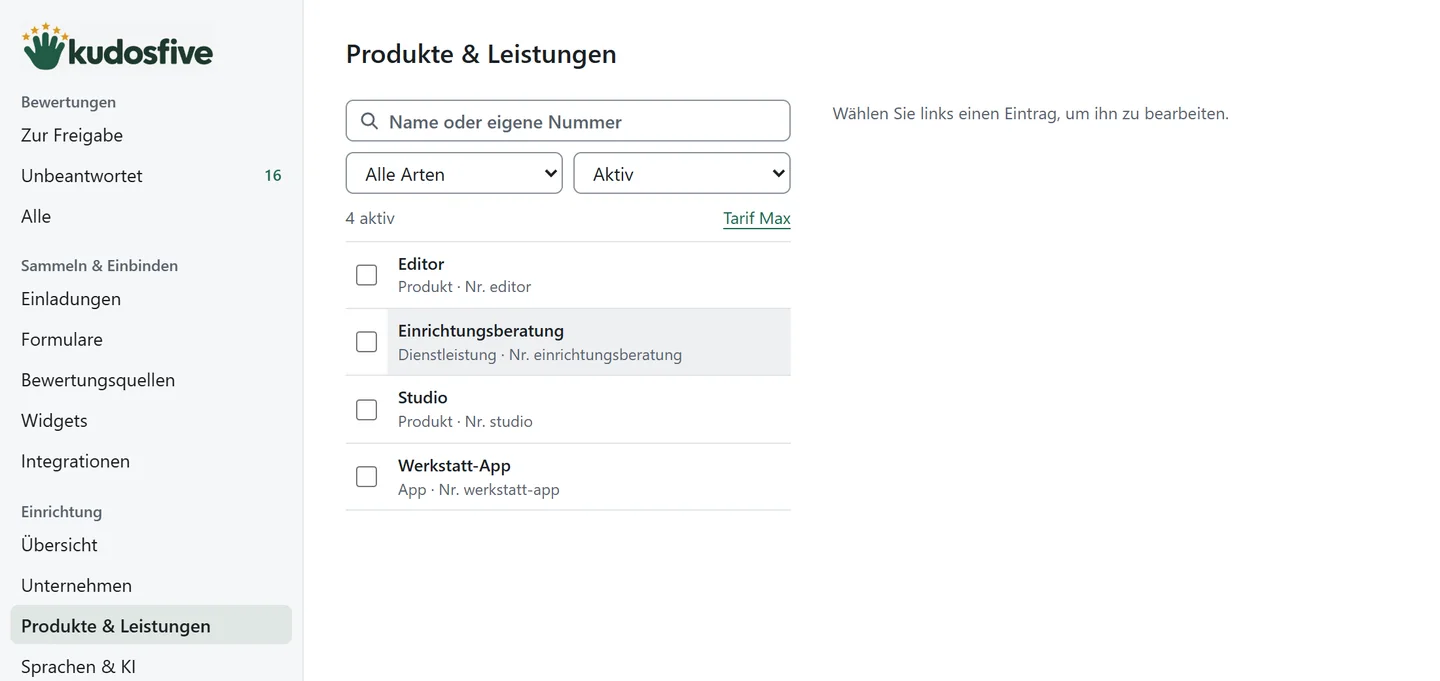
Create products, services and apps, search by name or your own number, rename, archive and reactivate them. Reviews of archived offerings are kept. Large catalogues are created and synchronised through the API.
From Plus, you show product attributes such as version, edition, size or colour from the tags of an invitation, in your own order and wording. All variants keep a shared product history.
Good to know
Active offerings per edition: Start up to 100, Plus up to 1,000, Max unlimited. Archived offerings do not count.
Import reviews from other sources
Bring existing reviews over as a CSV file, labelled separately.
If you have collected reviews before, import them from a CSV file. Imported reviews stay labelled as their own source, are shown separately and get their own widgets. They are not mixed into the reviews collected with KudosFive.
Good to know
KudosFive does not fetch reviews from other platforms automatically.
Translate reviews with AI · Plus and Max
New reviews appear automatically in your customers’ languages, using your own OpenAI or Anthropic account.
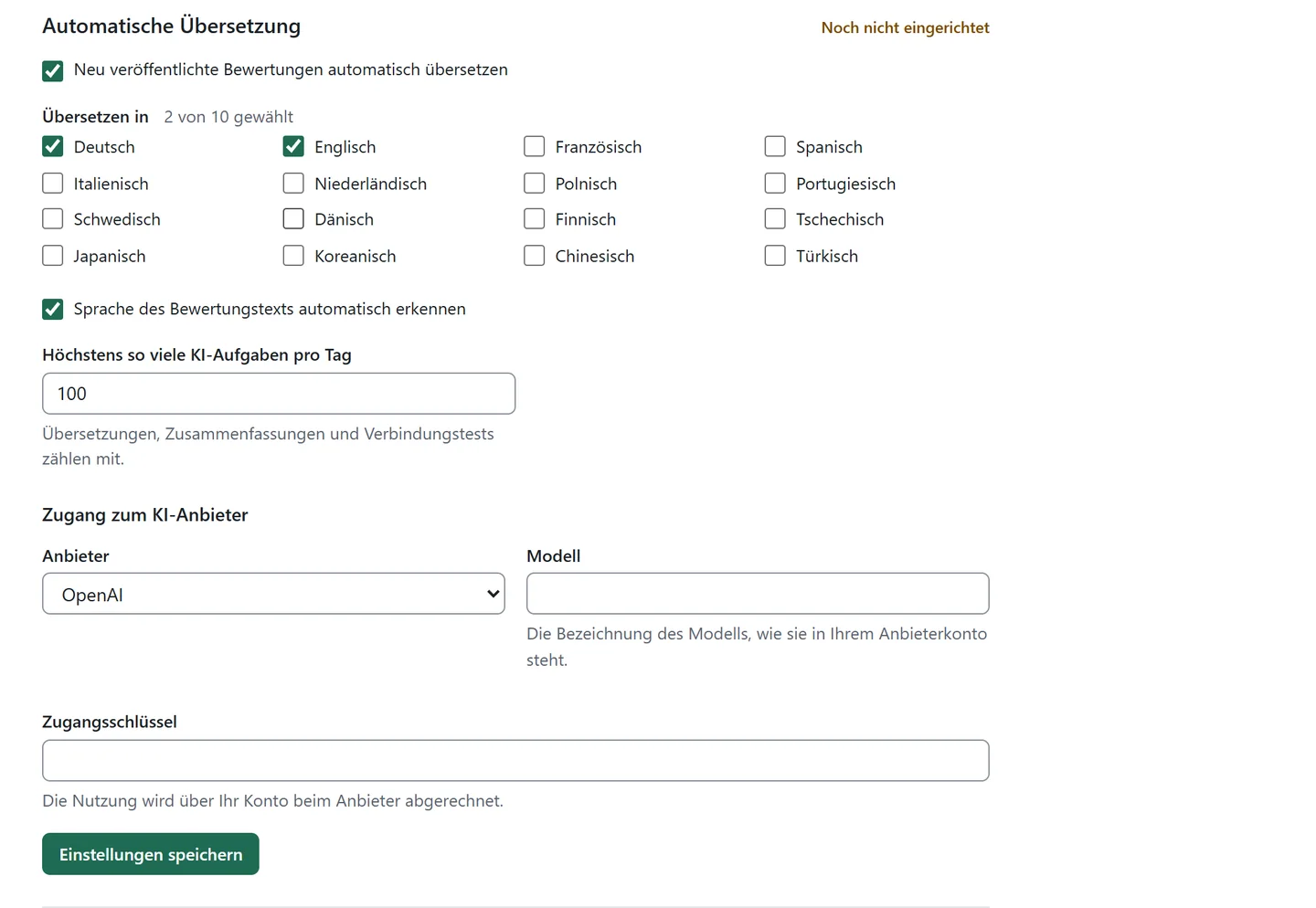
Choose your target languages. Every newly published review is translated automatically; KudosFive instructs the model to keep criticism, names and numbers unchanged. The original is kept and translations are labelled. If you like, KudosFive also detects the actual language of a review.
For an overview, summarise recurring praise and recurring criticism of an offering or your business, with references to the reviews. The summary is an internal analysis and is not shown publicly.
How it works
- Enter provider, model and access key
- Test the connection
- Choose target languages and a daily limit and switch translation on
Good to know
Included in Plus and Max. Your provider bills the model costs directly to you. Only titles, texts and language hints of reviews are sent, never email addresses. Visitors never trigger AI calls; profile and widget show stored translations. When you add a target language, you translate existing reviews on request, which incurs model costs for all reviews. Summaries cover 3 to 100 reviews with text.
Reviews API, AI assistants and webhooks
Reviews, replies, offerings and invitations through the API, via MCP and with webhooks, in every edition.
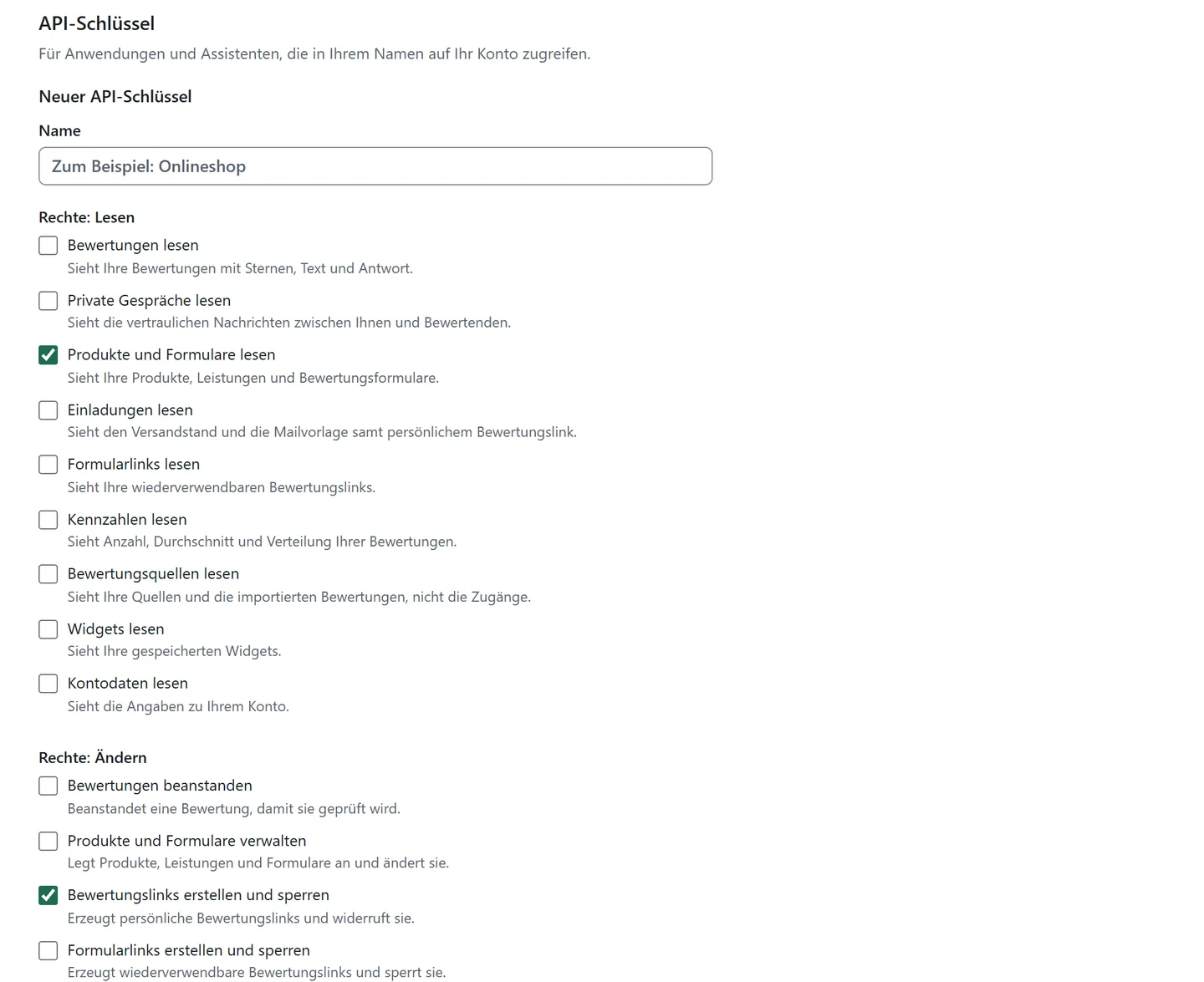
API keys get exactly the permissions they need, from 17 individually selectable ones, plus an expiry date; blocking takes effect immediately. A machine-readable description of all routes is available.
AI assistants that support MCP work with 45 tools in KudosFive, with exactly the permissions of the key they use. Webhooks report confirmed, published, changed and removed reviews, replies and private messages as signed events and retry failed deliveries.
Good to know
Assistants connect with an API key; sign-in via OAuth is not available.
Team, sign-in and your data
Several people with clear roles, sign-in without a password, data in Germany.
Invite more people as owners or collaborators: Start with one person, Plus with three, Max by arrangement. You sign in with an access link sent to your email address. You see your active sign-ins and can sign out all others at once; the sign-in address can be changed.
Export your reviews, offerings and account data at any time. Deleting the account can be revoked for 14 days. KudosFive runs in a data centre in Nuremberg, with backups in Germany.
Good to know
The export does not include AI translations or reviews imported from other sources.
Is KudosFive right for you?
Start for €99, Plus with AI features for €199 a year, excl. VAT.
Compare editions